![ComplianceHR-Logo-400x100.png]](https://knowledge.compliancehr.com/hs-fs/hubfs/ComplianceHR-Logos/ComplianceHR-Logo-400x100.png?height=40&name=ComplianceHR-Logo-400x100.png)
Policy Center contains two components: Templates and Dashboard.
Within the Templates Component, you’ll find the National template along with a supplement for each state, plus a combined California and National employee handbook and a supplement for the District of Columbia. 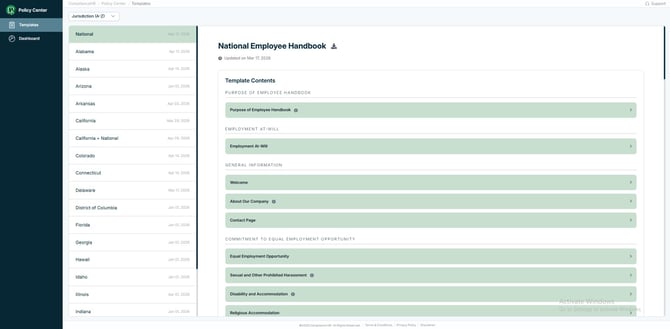
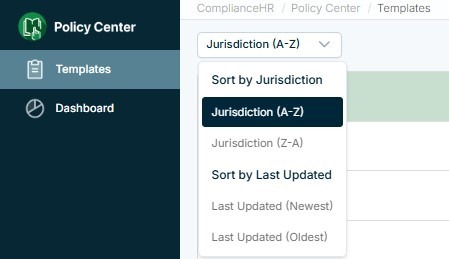
There is an option for filtering the templates at the top.
Each template has a Smart Content Page. At the top is the Name of the Template, an option for downloading, and when the template was last updated. 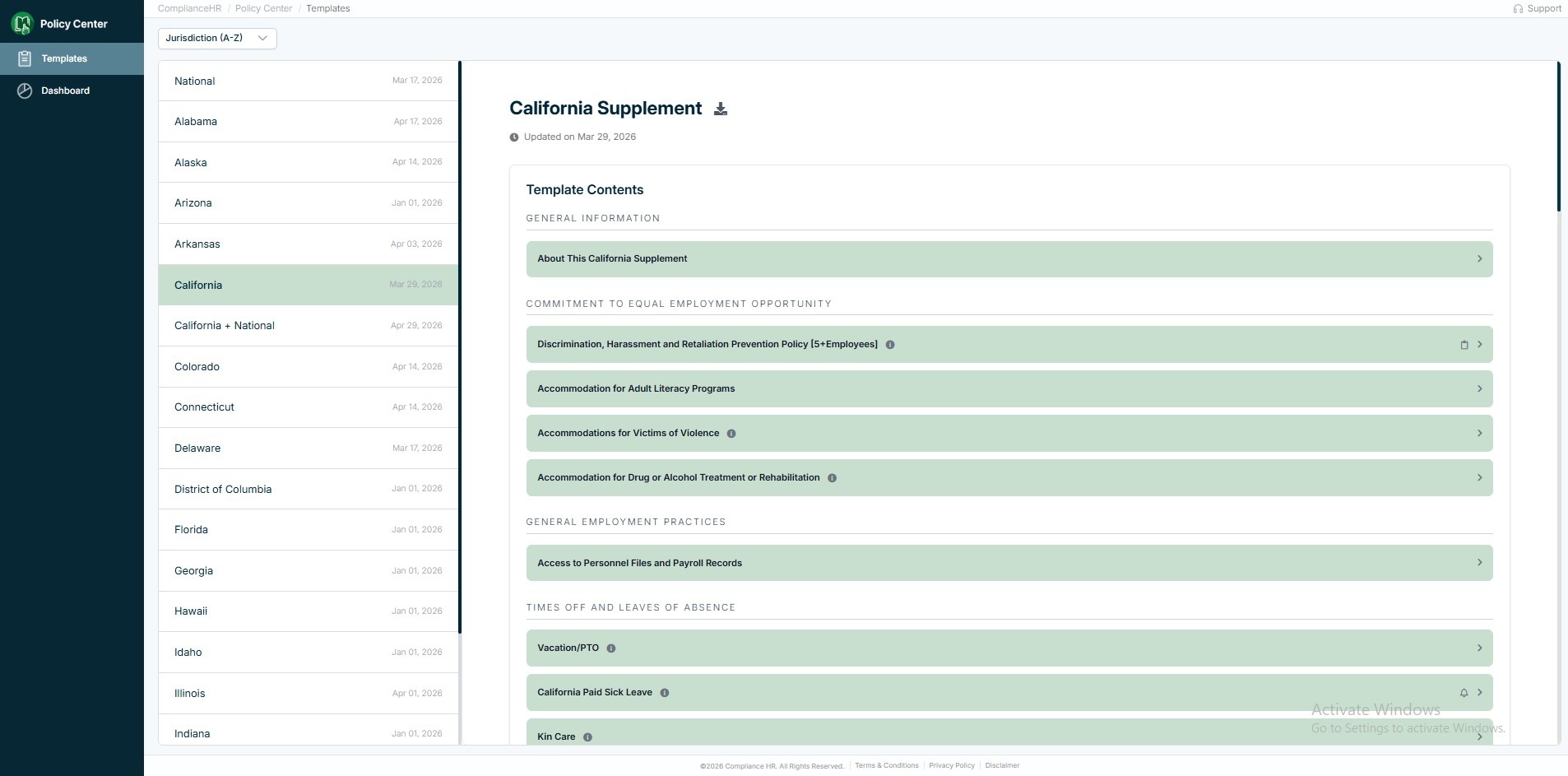
Within the Template Contents, you’ll find General Information, along with Section and Policy Titles specific to the template. You will also notice some Policy Titles contain symbols signaling a type of requirement related to the policy. Hover over the symbol to see the requirement type. You’ll also find an Information Icon 🛈 displayed where helpful content can be read.
📖 Book = Statutory handbook requirement
🔔 Bell = Other notice required
📋 Clipboard = Written policy required
Definition of “Required”
The term “required” is intended to indicate that a statute specifically requires that the policy appear in a handbook. Where a statute requires that an employer develop and/or distribute a policy (but not necessarily in the handbook), we have tried to provide that information in explanatory notes.
Written Policy Required means that the company should have a written policy, but it does not necessarily have to be in the company's handbook.
Other Notice Required means notice other than including the policy in the handbook or having the written policy is required, such as employers posting a created notice online or in the break room.
Additional details about the policy can be found when expanding the Policy Title. 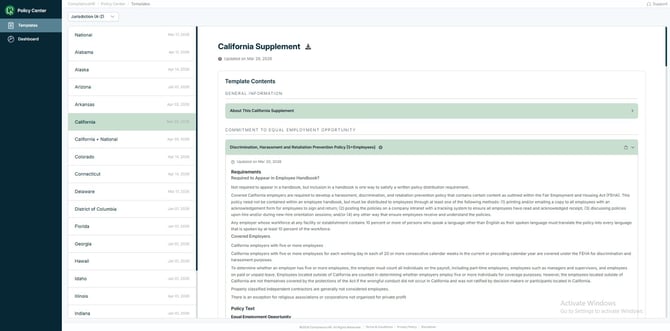
Under the Requirements section, you’ll find Policy Text drafted by Littler to support your handbook updates. It is also available using the Download option at the top of the Template’s Smart Content Page. 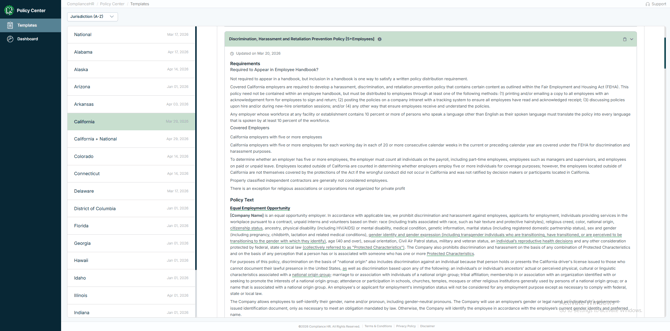
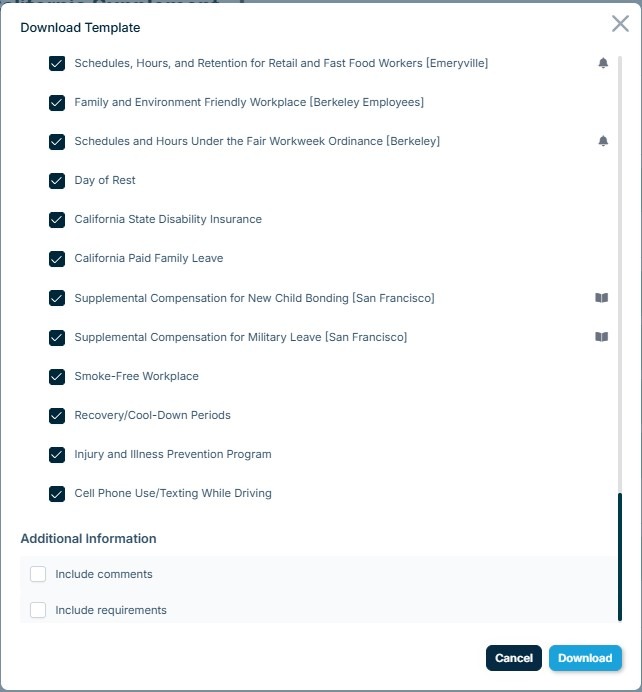
When selecting the download option at the top of the Smart Content Page, you will find an option to download all or select policies, along with comments from Littler and Requirement notes related to each policy specifying if the policy.
If you would like to focus on policies have a statutory handbook requirement, require a written policy, or require other notice, use the symbols throughout the download modal.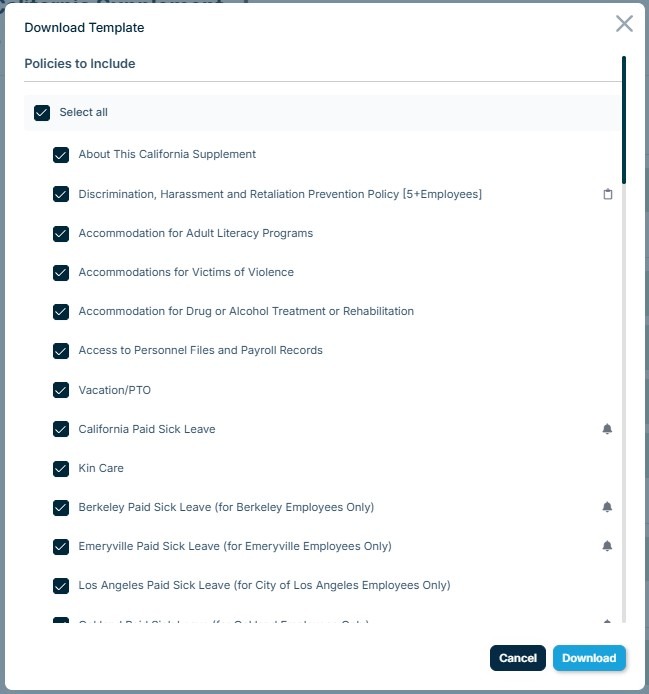
Under Additional Information, you have the option to include comments from Littler and policy-specific requirements notes in your handbook.
Once the desired policies and additional information have been selected, click Download to obtain your Word document template for further customization unique to your organization.