![ComplianceHR-Logo-400x100.png]](https://knowledge.compliancehr.com/hs-fs/hubfs/ComplianceHR-Logos/ComplianceHR-Logo-400x100.png?height=40&name=ComplianceHR-Logo-400x100.png)
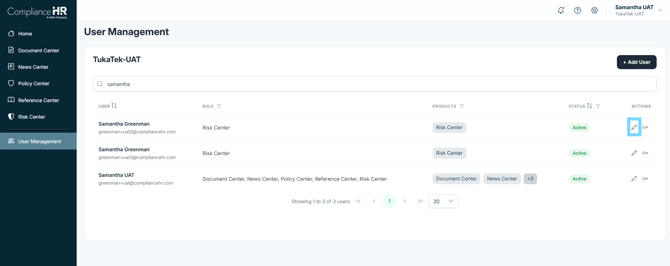
To update a user's permission or remove their access, select the Pencil icon under the Actions column.
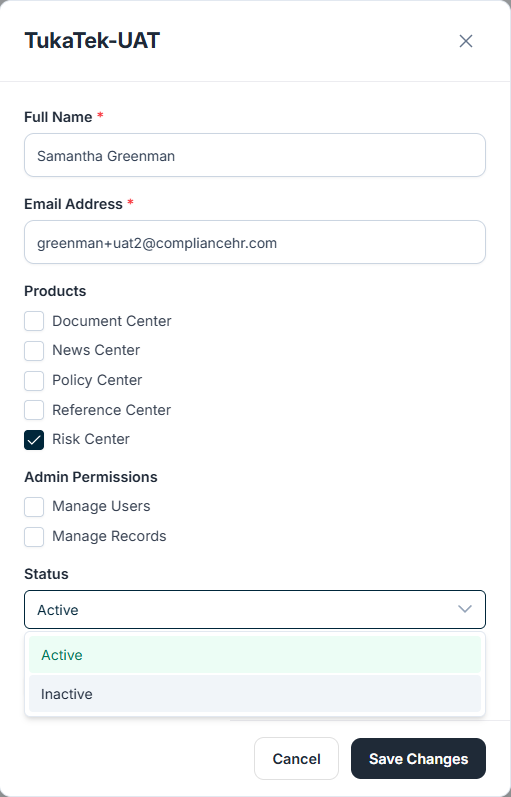
Here you are able to update permissions or move the user’s status from Active to Inactive.
Click Save Changes to apply the updates.
Admin Permissions should be selected with Caution
Manage Users - allows the individual to add or remove users, and update users permissions.
Manage Records - allows the individual to see all evaluations within the Risk Center at a platform level.
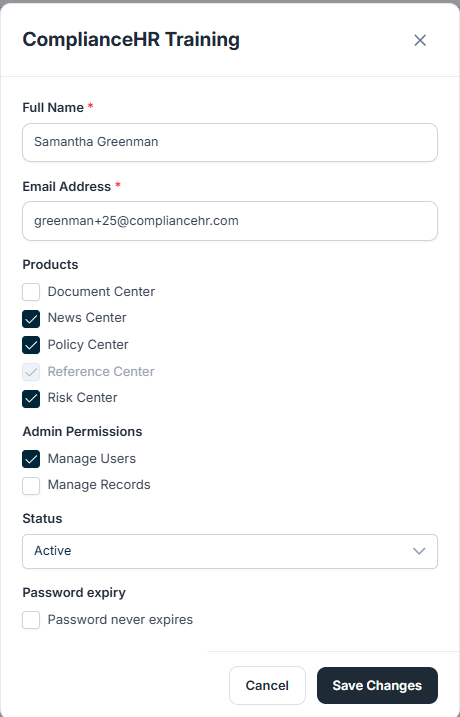
If a product is removed from your platform subscription, ComplianceHR will disable access at the platform level. However, user permission settings will still reflect who previously had access to that product.
Example: In the image below, the user previously had permission to the Reference Center. Even though the box remains checked, the option is greyed out because the product is no longer included in your platform subscription.